HIS 391 / AS 391: Articles
China in the World
Overview
For this assignment, you need peer reviewed academic articles. Due to the multi-disciplinary nature of this topic, I suggest a mix of EBSCO databases searched simultaneously. Journal articles tend to be specific in their scope and content, hence their relatively short length, so try not to be too broad in your searches. Try search terms like: China, Economic, Econom*, Trade, History, or a specific dynasty of interest. Be sure to limit your search to “peer-reviewed” articles.
Peer Reviewed and Full Text
When conducting your searches, limit to “peer reviewed” articles.
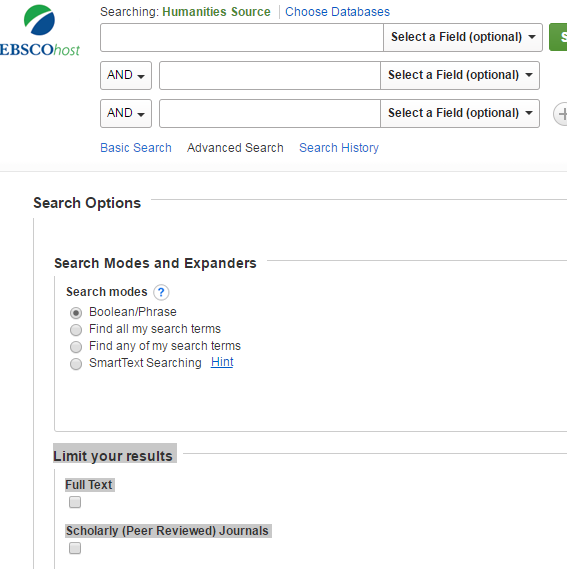 You can also limit to “full text,” but this omits articles that may be accessible through another database or Delivery+. I suggest not limiting to “full text” to start. If you see an article of interest, and there is not “PDF Full Text” or “Full Text from…” link, try the “Search for Article” option:
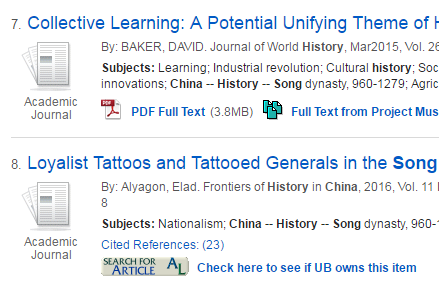
You can also limit to “full text,” but this omits articles that may be accessible through another database or Delivery+. I suggest not limiting to “full text” to start. If you see an article of interest, and there is not “PDF Full Text” or “Full Text from…” link, try the “Search for Article” option:
Getting Started with Keyword Searches
Identify keywords for your search. Concepts tend to be difficult to work with, so it helps to start with nouns. Your essay prompt is: “Was China a capitalist society before the Mongol invasion?” This gives us a few nouns: China, Capitalist, Mongol. To search for these terms together, place “and” between them. Broad searches like China and Economic and History yield thousands of results. A more narrow search, like China and Economic and History and "Song Dynasty", decreases the results significantly.
Advanced Database Features (“Field Searching”)
Databases allow users to search for words or phrases in specific areas (or “fields”) of a record. This feature varies between databases, but generally the basic options are: All Text; Abstract; Author; Title; Subject.
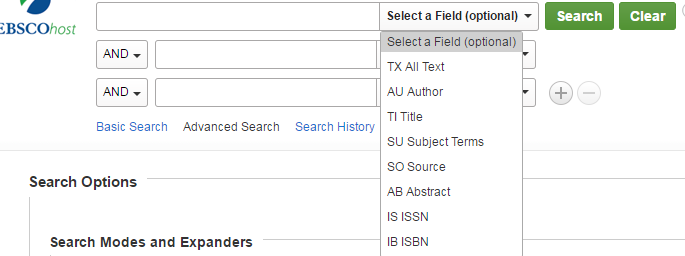 “All Text” will search the entire document and record for your word(s), while “Title” limits only to the title and subtitle.
“Subject Terms” limits your search just to the “subjects” section of an article’s record. Subject searching is discussed in the next section, and in the Books tab.
“Abstract” limits your search to the abstract, which is a short (and thorough) overview of an article. This is an excellent way to narrow your search, as the abstract addresses the core themes of a book or article.
Visualizing “Field” Searches: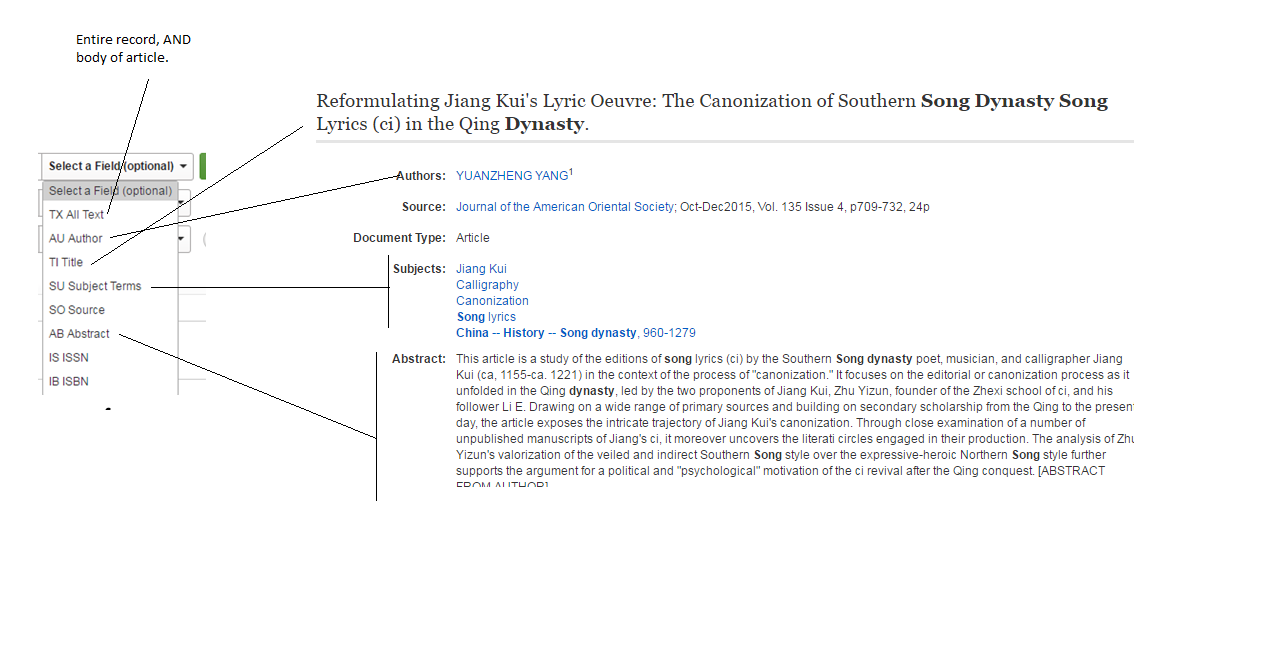 When beginning your search, start with “all text” keyword searches, and then move on to “subject” and “abstract” searches to narrow your results later.
“All Text” will search the entire document and record for your word(s), while “Title” limits only to the title and subtitle.“Subject Terms” limits your search just to the “subjects” section of an article’s record. Subject searching is discussed in the next section, and in the Books tab.
“Abstract” limits your search to the abstract, which is a short (and thorough) overview of an article. This is an excellent way to narrow your search, as the abstract addresses the core themes of a book or article.
Visualizing “Field” Searches:
When beginning your search, start with “all text” keyword searches, and then move on to “subject” and “abstract” searches to narrow your results later.
Subject Headings
While keyword searching, look at the “subjects” section. For China and Economic and History and "Song Dynasty" we see two interesting clusters of subjects, called "subject headings."
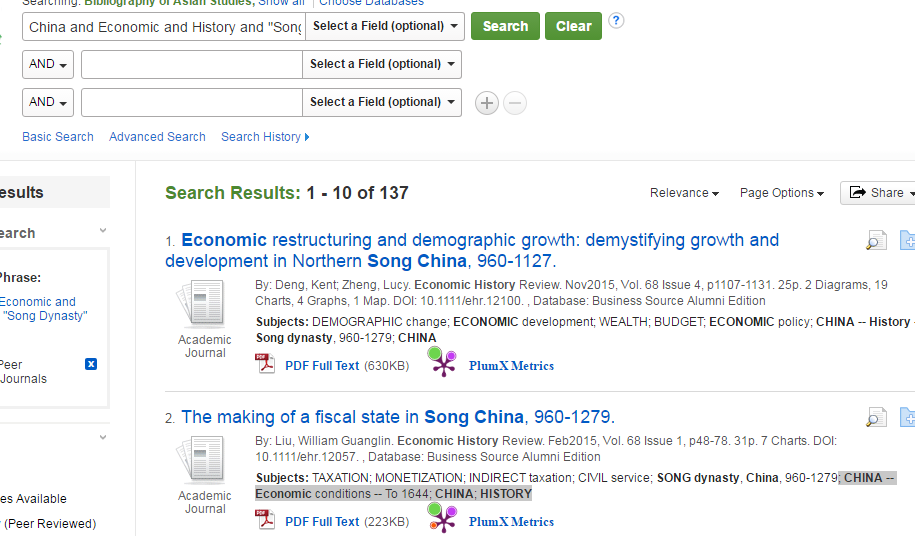 Replace the dashes with “and” and search these terms as subjects. Always keep an eye on the “subjects,” as these may be useful search terms. Useful Subject Terms include:
Replace the dashes with “and” and search these terms as subjects. Always keep an eye on the “subjects,” as these may be useful search terms. Useful Subject Terms include:
- China
- History
- Capitalism
- Trade
- Commerce
- “Social Conditions”
- “to 1644”
- “Economic conditions” [Note: use an asterisk here. You can subject search for Econom* to cover multiple variants of the term]
- “Song dynasty”
- “Yuan dynasty”
- “Politics and Government”
Why Peer Reviewed Articles?
The UB Libraries offer a wide assortment of databases containing peer-reviewed journal articles. “Peer-reviewed articles,” unlike materials you may find online, are articles written and reviewed by subject specialists, then published by a scholarly journal or organization. This process includes several layers of quality checks: First, the article is written by a subject specialist, who submits the article to a journal. The journal editor then sends the work to be reviewed and critiqued by other anonymous specialists in the field. These scholars will suggest revisions, add information, and request other changes. If approved for publication, the article is sent to an editorial team, who suggest further revisions. By the time a peer-reviewed article is published, it has been revised and reviewed by an entire team of scholars. This ensured level of quality is the value of peer reviewed articles.
Other Databases
Databases are more than just collections of journals – they are designed to assist you in finding articles specifically related to your topic. Since each academic discipline is unique, the UB Libraries subscribes to hundreds of subject-specific databases and resources. These include:
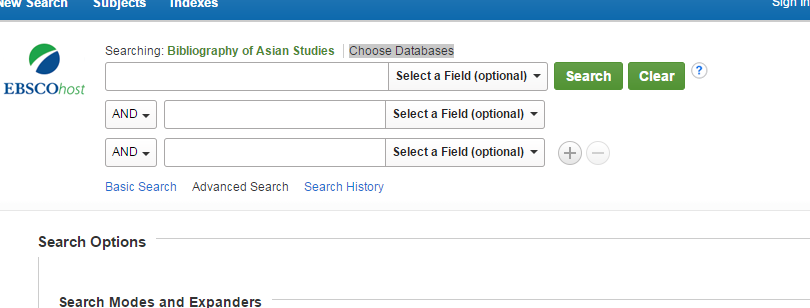 Log into BAS and select “Choose Databases”
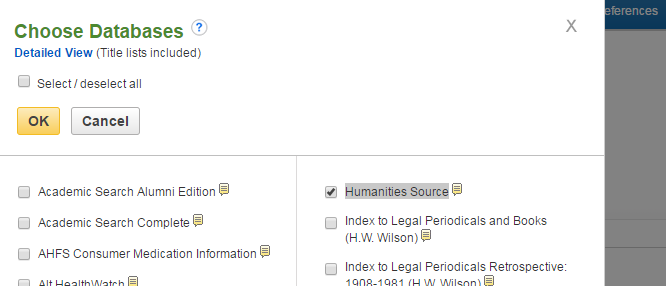 This provides a list of other databases. Select “Humanities Sources” and click OK
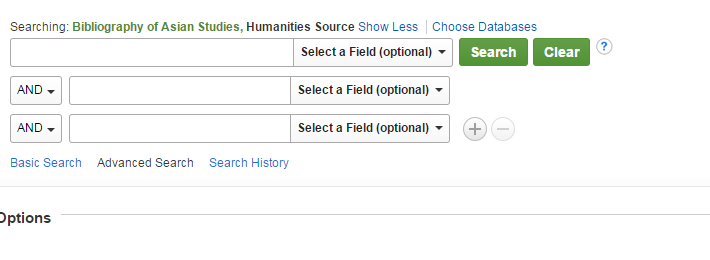 Now you can search both databases at once!
-
Bibliography of Asian StudiesContains articles from over 100 Asian Studies journals, with full text searches and indexes.
-
Humanities SourceContains over two million records from over 2,000 journals.
-
JSTORA significant collection of keyword searchable online journals. It lacks indexing, meaning it is largely limited to basic keyword searching.
-
Project MuseA collection of over 600 full-text academic journals on a variety of topics. Like JSTOR, it has limited indexing and is mainly useful for keyword searching.
Log into BAS and select “Choose Databases”
This provides a list of other databases. Select “Humanities Sources” and click OK
Now you can search both databases at once!
Additional Help
For additional assistance, please feel free to contact me at []@buffalo.edu