HIS 391 / AS 391: Advanced Search Methods
China in the World
Advanced Search Methods
These search techniques will work in the Catalog and Databases.
Quotation Marks
When searching for a multiword phrase, use quotation marks to tell the catalog or database that the words should be next to each other. A search for MONGOL EMPIRE brings up 118 results, but not all the results are about the Mongol Empire.
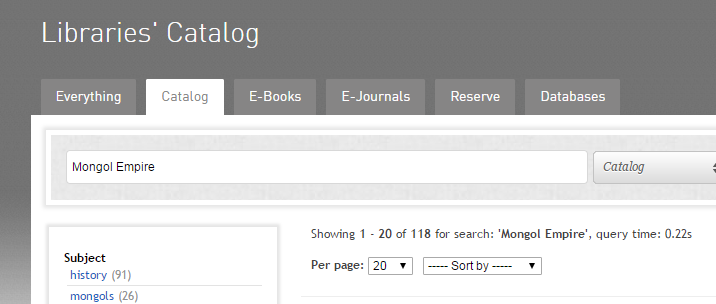 This book is one of the results: See that the words “Mongol” and “Empire” are in the record, but not together:
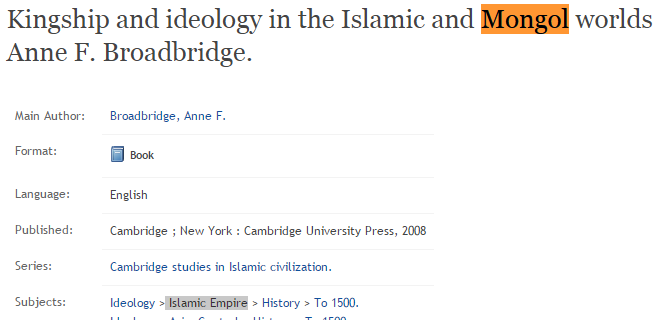 By using quotation marks, it ensures that “Mongol Empire” is a single phrase in the record:

This book is one of the results: See that the words “Mongol” and “Empire” are in the record, but not together:
By using quotation marks, it ensures that “Mongol Empire” is a single phrase in the record:
Asterisks
It is difficult to find every variation of a word that authors may use. Consider: Economic; Economics; Economy; Economical; Economies; Economic Policy; etc etc.
Using a “Truncation” search, in which an asterisks stands in for other possible word endings, one word can cover all variations. As an example, a search for Econom* will cover every word beginning with “Econom”. The Asterisk acts as a stand-in for any possible word ending.
Using a “Truncation” search, in which an asterisks stands in for other possible word endings, one word can cover all variations. As an example, a search for Econom* will cover every word beginning with “Econom”. The Asterisk acts as a stand-in for any possible word ending.
AND
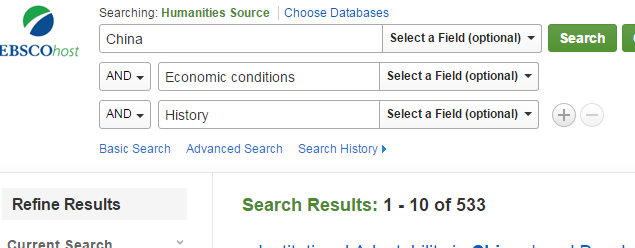
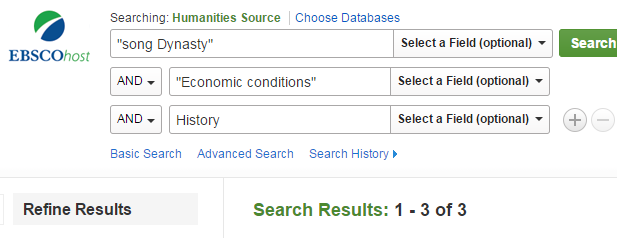
And is straightforward: It tells the catalog or database to only bring up records containing ALL your search words. A search for China and Economic conditions and History will only bring up records with all the search terms:
OR
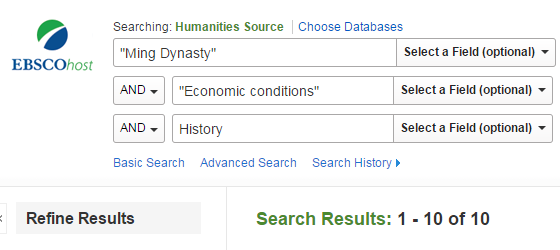
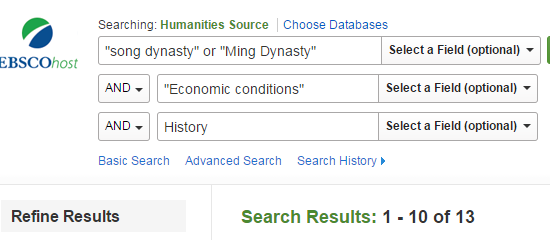
Or searching lets you pick between terms. To find articles about the historical economic conditions of the Song or Ming dynasties, use OR:
NOT
Not allows you to exclude records that contain a specific word or phrase. This will exclude any records/article containing the “Not” variable, so use it carefully. This may accidentally omit relevant articles. It is a useful function, but use NOT carefully.
Example: To omit articles discussing the involvement of the US in Chinese Economic History: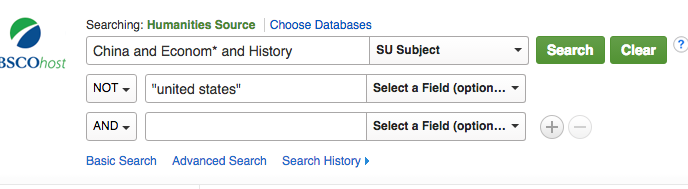
Example: To omit articles discussing the involvement of the US in Chinese Economic History:
Subject Headings
Pay attention to the “subjects” sections when using databases and the catalog. These are approved terms assigned to concepts and topics, and they are standardized across libraries. They are meant to denote the main ideas of books or articles, making them excellent search terms. They are hard to guess sometimes: North Korea’s official subject heading, for example, is Korea (North). Begin with keyword searches, and then use the suggested subject terms you find. Examples below.
Subject Searching in the Catalog
Begin with a keyword search to identify subjects:
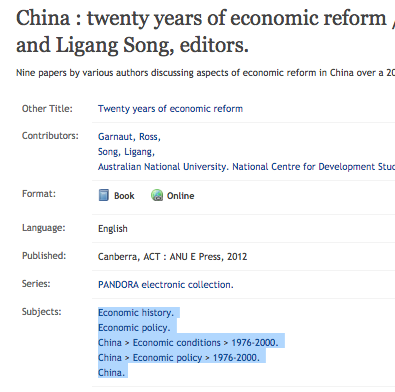
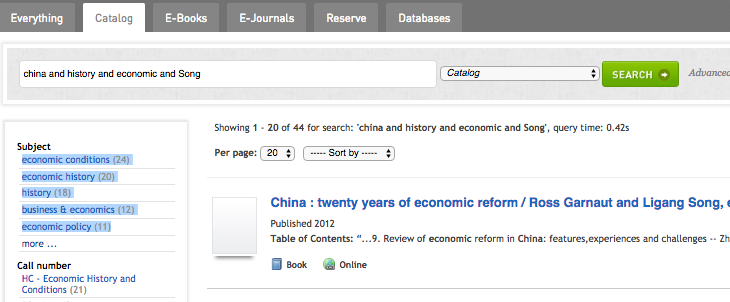 Subjects are listed in the records too:
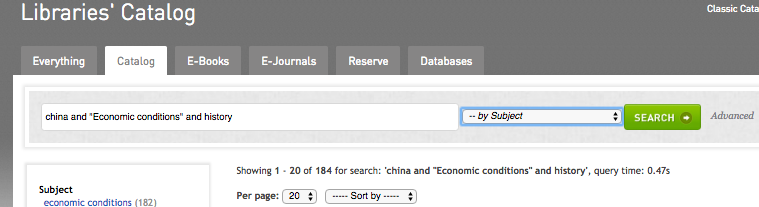
 Use these newly discovered subjects in a “By subject” search to find books directly related to your topic:
Subjects are listed in the records too:
Use these newly discovered subjects in a “By subject” search to find books directly related to your topic:
Subject Searching in Databases
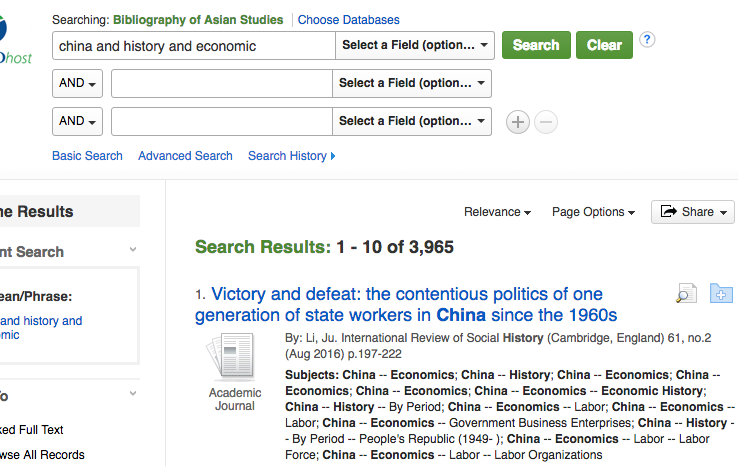
Begin by searching with keywords, paying attention to subjects listed in the results. Subjects are listed under each article entry:
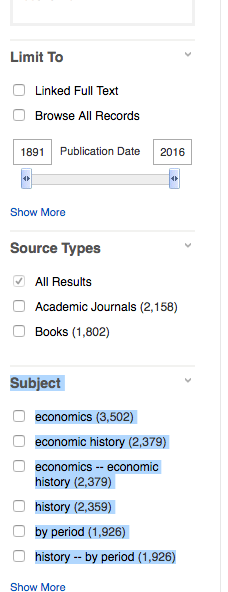
 The subjects reflected in All of the search results are also listed along the left of the screen:
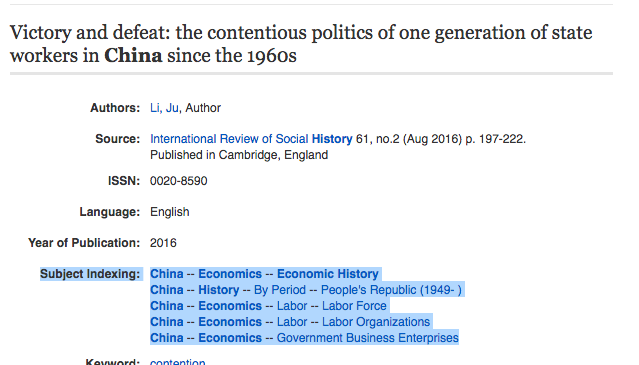
 Individual article records will list subjects. You can click on these to find other articles with these same subject headings:
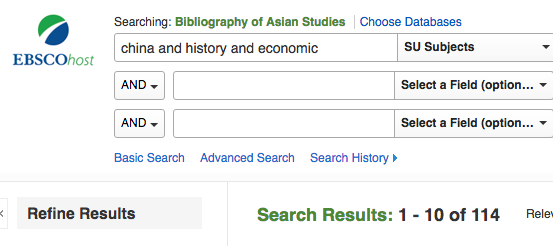
 Using some of the subjects we’ve discovered, conduct a Subject search to find articles directly related to the topic:
The subjects reflected in All of the search results are also listed along the left of the screen:
Individual article records will list subjects. You can click on these to find other articles with these same subject headings:
Using some of the subjects we’ve discovered, conduct a Subject search to find articles directly related to the topic:
Additional Assistance
This is only an overview of search methods. For a much more detail overview, see the MIT guide. You are also encouraged to contact me at []@buffalo.edu if you have additional questions.